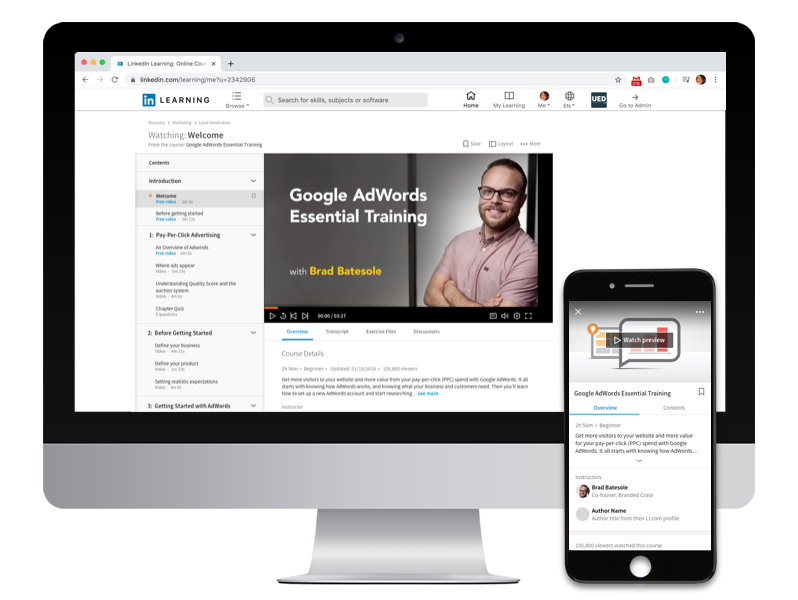
LinkedIn Learning: Course Page Experience
Role: Senior Product Designer | Responsibilities: User flows, Research analysis, Wireframes, Visual designs
Background
In 2015, LinkedIn, the world’s largest professional network acquired Lynda.com, the leading online learning company with content spanning technology, creative and business topics. LinkedIn’s mission to provide economic opportunity to everyone in the global workforce was aligned with Lynda.com’s mission to empower people to learn or improve their skills to further their professional careers. A large team of product managers, designers and engineers was formed to build a new learning product that would bring Lynda.com content to the LinkedIn platform with the mission to help people identify their skills gap and find the content they need to help them learn.
Project Overview
While there were many features to the product, at the core was the learning experience on the course page. Here is where a learner would determine if the content was right for them, consume the content and use any supporting tools to help them learn.
Goal
Using Lynda.com as our guide, we wanted to build a strong foundation for the course page that would fundamentally deliver the core experience and have the ability to accommodate future learning support tools and social learning.
Process
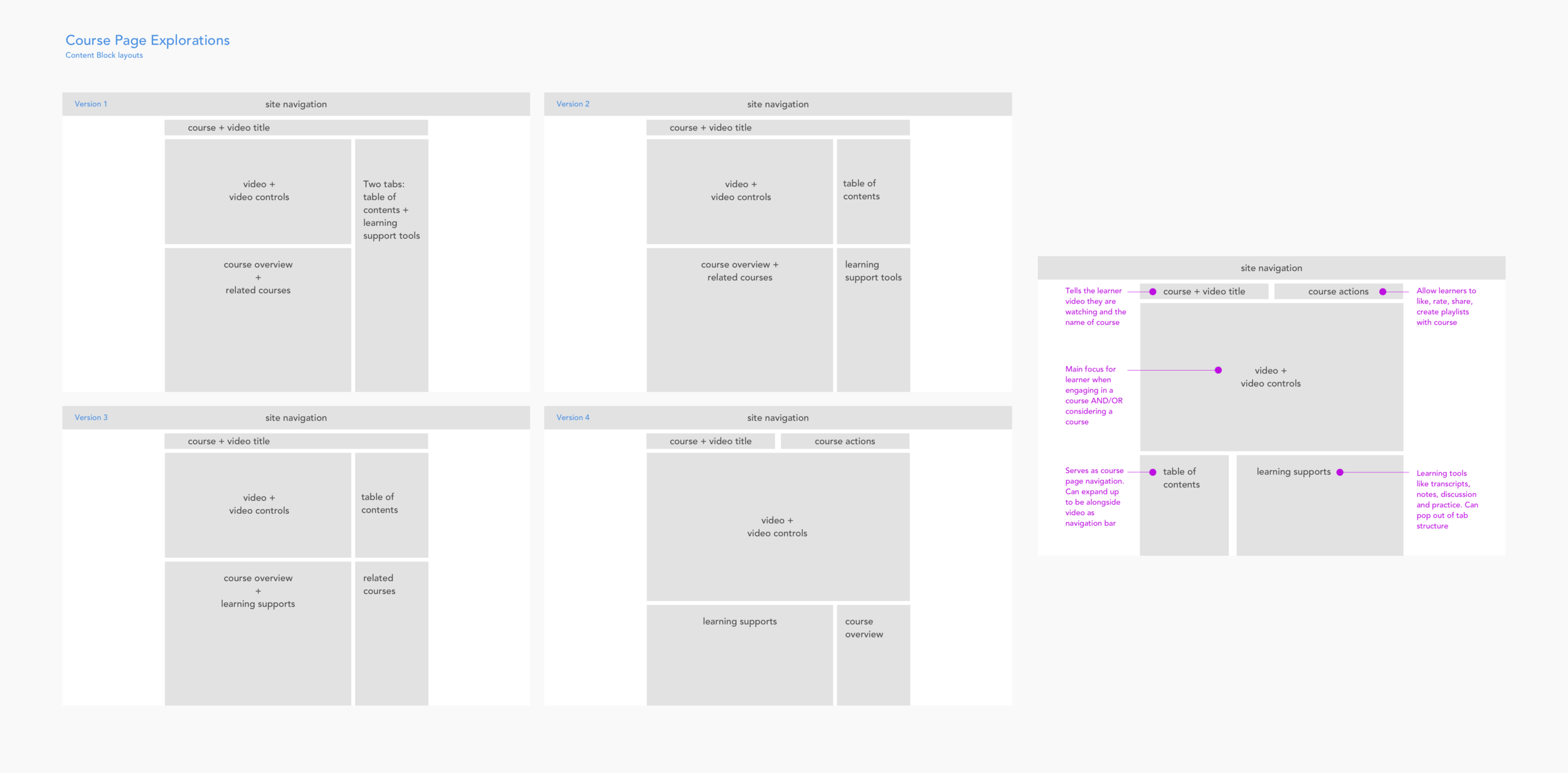
Course page content blocks
Leveraging designs and data points from Lynda.com, I broke down the course page into high level content blocks to see how we might be able lay out the page in a way that would be helpful for learners, while still being able to accommodate future features.
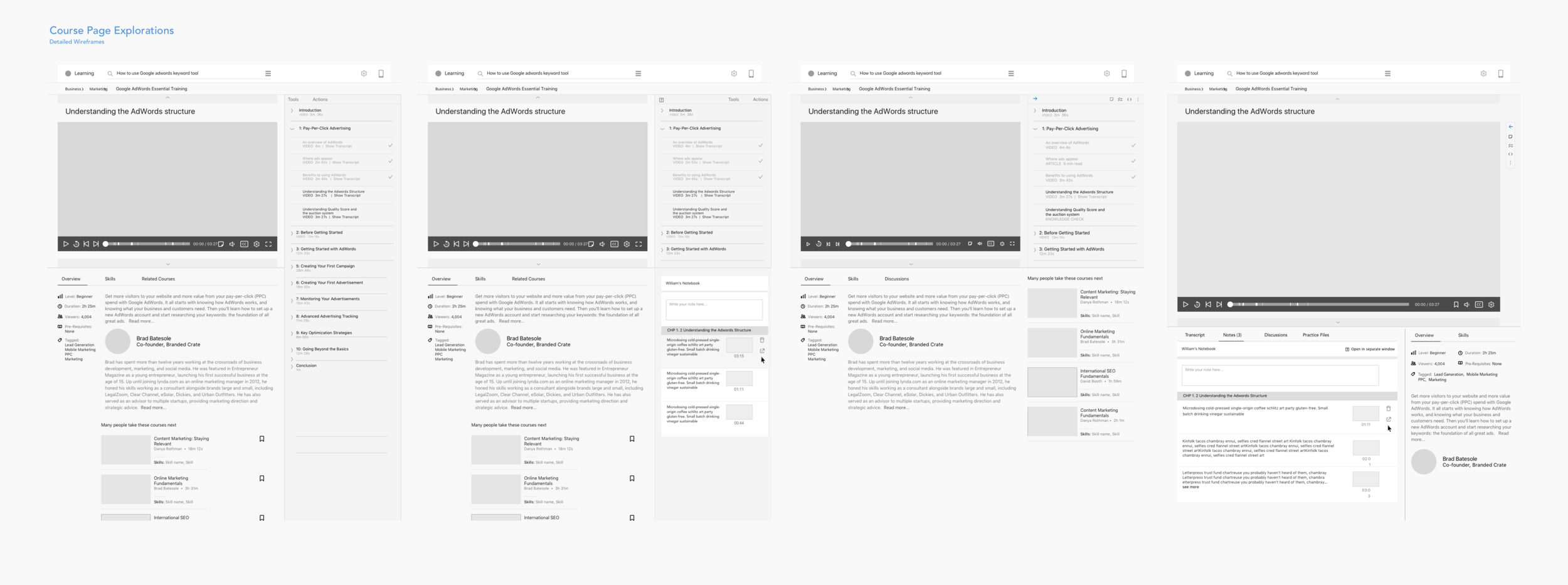
Course page desktop wireframes
We knew from our experiences at Lynda.com that we needed to keep the focus on the content and that content was Queen. The biggest challenge was how to present other tools and features without interfering with content.
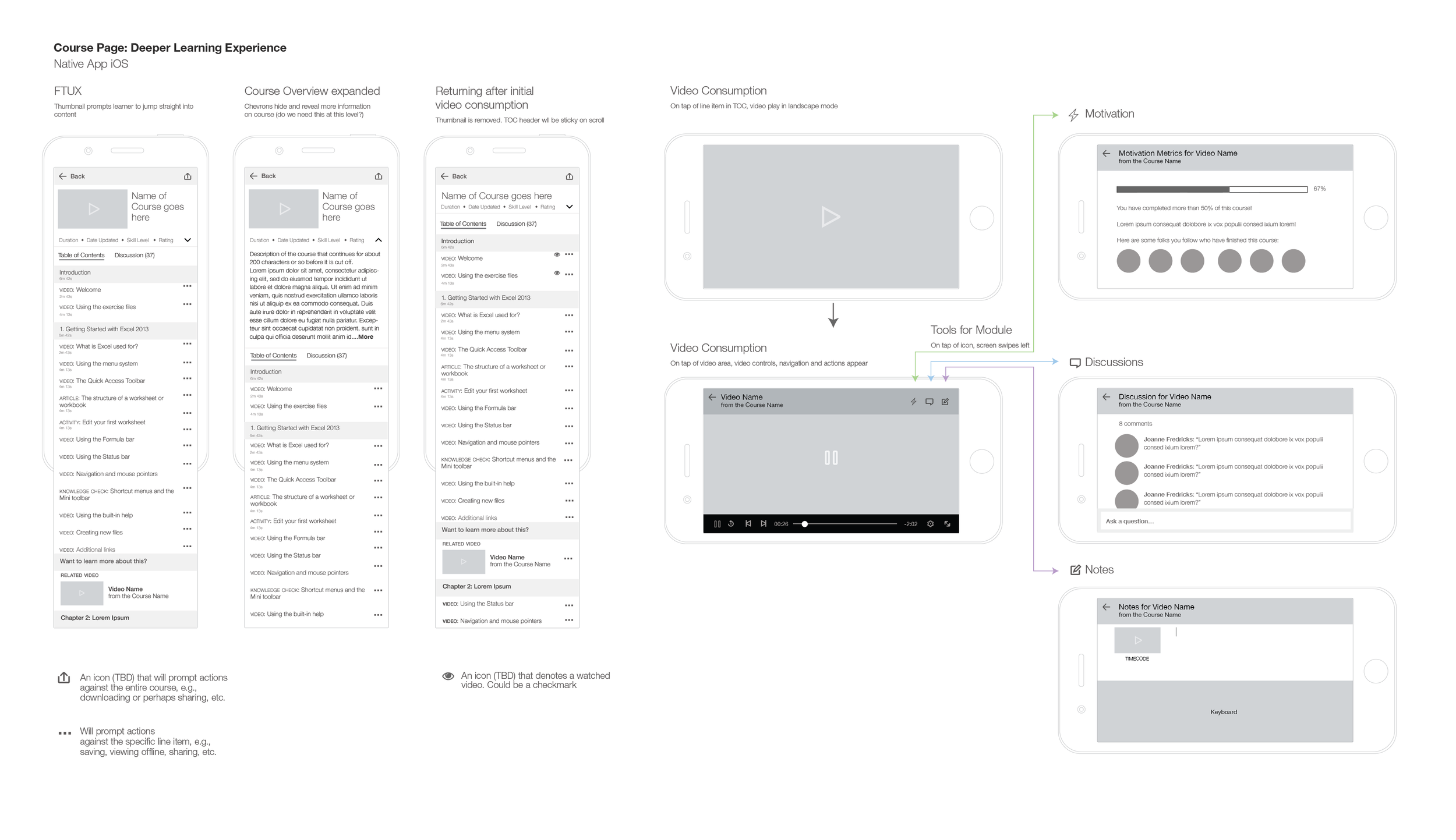
Course page mobile wireframes
While designing for the desktop experience, we were concurrently building a native mobile application. The mobile responsive web experience accommodated the the core learning experience, but would encourage learners to download the mobile app for a full-featured experience. I worked with iOS and Android engineers to create our native experience, keeping within platform and LinkedIn design patterns.
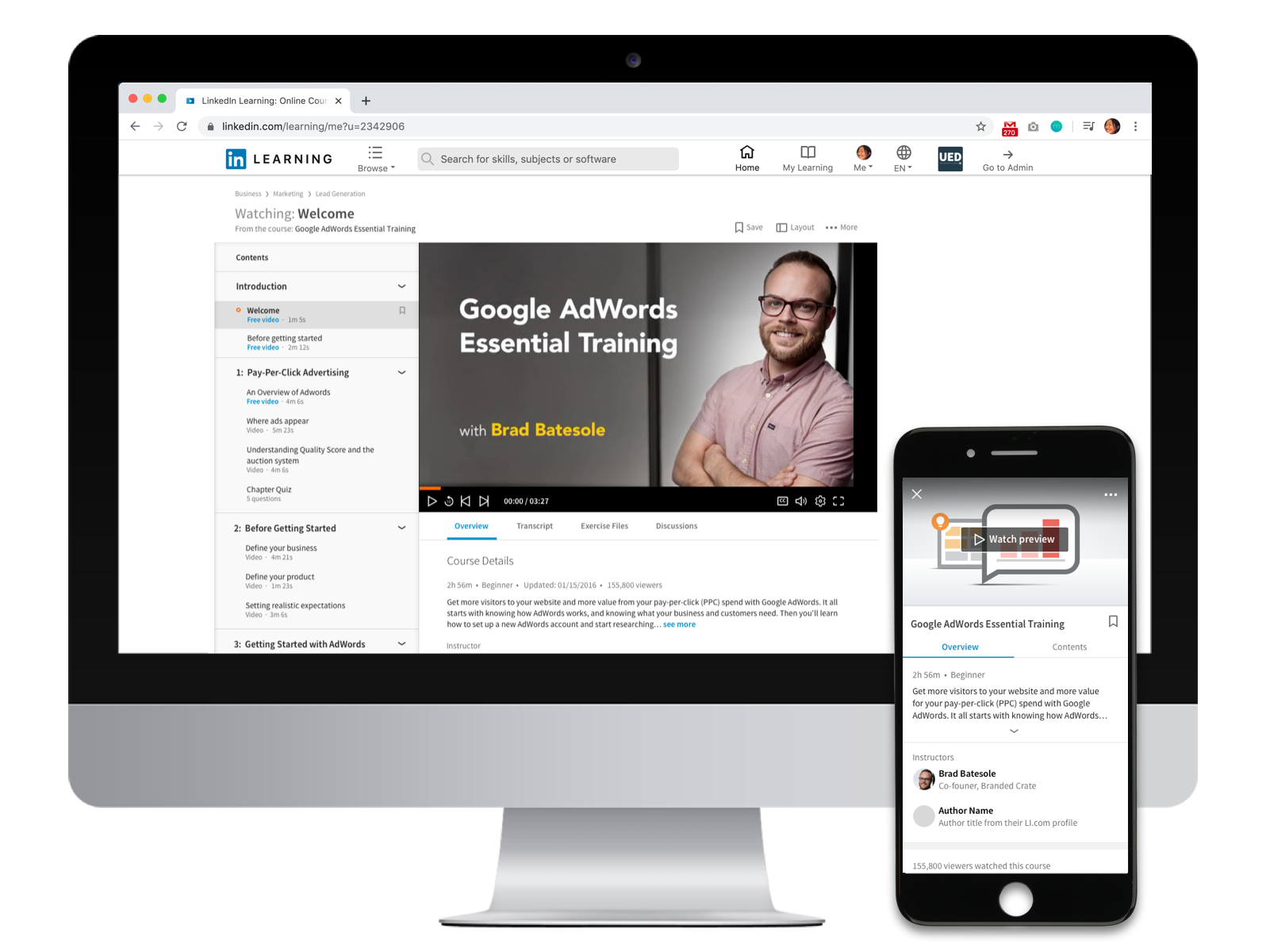
Course page design
Below is the output of the course page design. It was live for several years before being re-designed again in 2019. After tackling the course experience, I was asked to design the logged-in homepage experience, “guest” (non-registered learners) experience for the homepage and course pages, summative exam experience as well as social learning.